



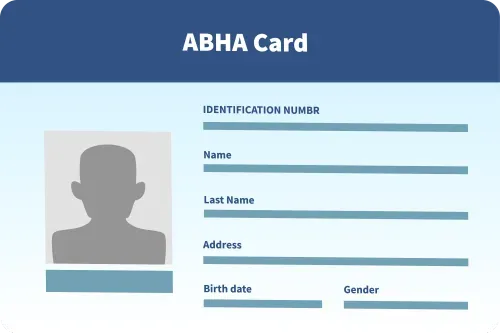
How To Create an ABHA Card?
Anyone can create an ABHA card through the official ABHA website or ABHA mobile app. The process to create an ABHA ID enables you to access and manage your digital health records securely. To create an ABHA card, you need a valid ID (Aadhaar, PAN, voter ID, etc.), an active mobile number linked to your ID, address proof, and a passport-sized photo if applying offline. With an ABHA card, you can easily share your medical information with healthcare providers anytime.
Complete Guide to ABHA Card Registration & Benefits
The Ayushman Bharat Health Account (ABHA) card is a unique way for individuals to maintain their health records digitally. It can store crucial health data like medical history, doctor consultations, prescriptions and more, enabling seamless access to healthcare data and proper treatment.
Any Indian citizen can apply for an ABHA card, regardless of their economic condition or caste. Also, the application process is simple and can be conducted online or offline, according to preference. Keep reading for a detailed overview.
Documents Required for Creating an ABHA Card
The documents required to apply for an ABHA card are:
- A Valid ID: State your identity by providing your Aadhaar card, PAN, driving license, voter ID, or passport.
- Registered Phone Number: Ensure that the mobile number you are using to register is active and linked with your ID.
- Address Proof: Prove your residential address through a utility bill or a voter ID.
- Passport-sized Photo: Keep a recent passport-sized photo handy if applying through offline mode.
Steps To Create an ABHA Card
You may apply for your ABHA card through the ABHA website or the mobile application. Follow these steps according to your mode of application:
Through the ABHA Website
- Step 1: Visit the ABHA official website and click “Create ABHA Number.”
- Step 2: Choose the method of identity verification, either through your Aadhaar number or driving license number.
- Step 3: Correctly fill in all the particulars for the selected ID number and enter the captcha to verify.
- Step 4: An OTP will be sent to the mobile number linked with your ID for verification.
- Step 5: Enter the OTP and click ‘Next’ to proceed.
- Step 6: A dialogue box will appear if the registered mobile number and the mobile number entered are the same. Click ‘continue’ to proceed.
- Step 7: Enter the username for your ABHA address and click “Create ABHA.”
- Step 8: Your ABHA card containing your 14-digit ABHA ID, address, and details will appear on the screen.
- Step 9: Download your ABHA card in PDF format and save it on your device for future reference.
Through The ABHA Mobile Application
- Step 1: Download the ABHA mobile application from the App Store or Google Play Store.
- Step 2: Start the app and choose your language.
- Step 3: Click register and select “Register through Mobile Number.”
- Step 4: Enter your phone number, select “continue,” and you will get an OTP on your phone.
- Step 5: Enter the OTP received and correctly fill out the mandatory details.
- Step 6: Create your ABHA address and click ‘submit’. Once your ABHA address is successfully created, you will receive a 14-digit unique ID.
- Step 7: Enter a password to secure your account.
- Step 8: After successful registration, your ABHA card will appear in the app. You can download it on your phone.
Offline Application of ABHA Card
If you can't register online, don't worry! You can do it offline by following these steps:
- Step 1: Go to the nearest community hospital or the Ayushman Bharat Community Service Centre (CSC). You can find a list of these centres on the ABHA website.
- Step 2: Carry your ID proof and other documents like your photo and address proof.
- Step 3: Complete all the details requested in the registration form and verify your ID with an OTP or biometric check.
- Step 4: Submit the filled-out form and all required documents (if any) to the designated representative.
- Step 5: The CSC or healthcare facility will process your application. After successful registration, you will receive your ABHA card with a 14-digit unique ID printed on it.
The ABHA card simplifies the verification and management of medical records, enabling the weaker sections of society to access quality healthcare facilities without hassle. What’s more, individuals can also track their health insurance details from major providers like Star Health, which can be highly beneficial for gaining coverage during medical emergencies.
Thus, when it comes to easing the availability of medical care, the ABHA card can be a lifesaver!
FAQs
You can create an ABHA card online by visiting the official ABHA website or downloading the ABHA mobile app. The process involves verifying your identity using Aadhaar or a driving license, entering your details, and generating your unique ABHA ID. Once completed, you can download your ABHA card in PDF format.
Yes, you can create an ABHA card offline by visiting the nearest Ayushman Bharat Community Service Centre (CSC) or a government hospital. Carry your ID proof, address proof, and photo for verification.
You need a valid ID (Aadhaar, PAN, voter ID, etc.), an active mobile number linked to your ID, address proof, and a passport-sized photo if applying offline.
You can create an ABHA card for a family member by simply using their Aadhaar or mobile number on the ABHA website or NDHM app. By following this process, you can create an ABHA number easily on their behalf.
Well, Yes! Foreigners living in India can create an ABHA card, but only if they have valid identity documents and an Indian mobile number for verification. They can create an ABHA card through the official ABHA portal.
Yes, you can do so. Many government and private hospitals provide an on-site ABHA registration. Simply visit the registration desk and ask them to create an ABHA number for you.
Yes, you can create ABHA cards for all your family members using their Aadhaar or mobile number. You can create the cards by using the ABHA website or ABDM app.
People Also Search For


Health Insurance Coverage for pre-existing medical conditions is subject to underwriting review and may involve additional requirements, loadings, or exclusions. Please disclose your medical history in the proposal form for a personalised assessment.
This FAQ page contains information for general purpose only and has no medical or legal advice. For any personalized advice, do refer company's policy documents or consult a licensed health insurance agent. T & C apply. For further detailed information or inquiries, feel free to reach out via email at marketing.d2c@starhealth.in