


Aarogya Setu App: Features, Benefits & How It Works
Guide to ABHA Creation & Health Tracking on Aarogya Setu
What is the Aarogya Setu App?
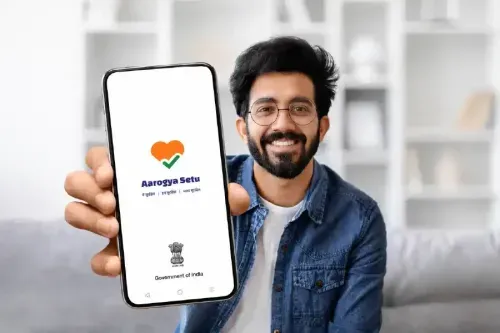
The Aarogya Setu is the official national digital health application developed by the Government of India, originally launched on April 2, 2020, for protecting citizens from COVID-19. The Aarogya Setu online has now been recognised as a national health app and is providing a holistic range of digital health services across India, sponsored by Ayushman Bharat Digital Mission (ABDM). Citizens of India can now register themselves for the Ayushman Bharat Health Account or digital health ID through the Aarogya Setu app. In addition, this app can be utilised for interaction with dedicated healthcare professionals, and can get digital lab reports, prescriptions and diagnoses efficiently from verified health service providers.
So, we have gone through: What is the Aarogya Setu app, and now we will explore its key features and benefits.
Key Features & Benefits of Aarogya Setu App
Aarogya Setu was originally used as a COVID-19 contact tracing tool; however, later integrated with the ABDM, it offers citizens a centralised, digital ecosystem for personal health management. Therefore, transitioning to the Aarogya Setu 2.0 ecosystem, the app serves as a centralised hub for personal health management. Let’s dive into the key features and benefits of the Aarogya Setu application:
Key Features:
- COVID-19 Risk Assessment
- Contact Tracing
- Real-Time Alerts and Notifications
- Information and Updates
- Multi-Language Supports
- Helpline and Support Services
Key Benefits:
- ABHA Creation: Users can create and integrate their Ayushman Bharat Health Account (ABHA) with the help of Aadhaar face authentication to create a unique digital identity for all healthcare services.
- Scan & Share OPD Registration: Patients can use the "Scan and Share" QR feature at ABDM-empanelled hospitals and health centres for prompt registration for the outpatient department (OPD), notably minimising waiting times.
- Family Health Management: The Aarogya Setu application allows subscribers to securely store and manage the health records of multiple dependents (children and elderly parents) through a single account.
- Digital Health Records and DigiLocker: Users can effortlessly get lab reports, and health professionals’ prescriptions and health records can be securely stored and accessed via DigiLocker with user-permissioned data sharing.
- Healthcare Discovery: The Aarogya app features a comprehensive search tool that supports users in locating verified doctors, hospitals, diagnostic laboratories, Jan Aushadhi Kendras, and blood banks (for real-time blood unit availability).
- Digital Payments: The Setu app encourages QR code-based digital payments for doctor visits and medical services, explicitly at authorised healthcare facilities.
- Ayushman Bharat Access: Eligible beneficiaries can check their eligibility for Pradhan Mantri Jan Arogya Yojana or PM-JAY treatment, certified hospitals, and available wallet balances.
- Scheme Management: View Ayushman Bharat Pradhan Mantri Jan Arogya Yojana empanelled hospitals, treatment details, and manage family health accounts all in one place.
How Does the Aarogya Setu App Work?
The Aarogya Setu application utilises a combination of Bluetooth proximity tracing, GPS location tracking, and a user self-assessment test to evaluate infection risks, provide health advisories, and act as a digital healthcare.
- Bluetooth Proximity Tracing: The app utilises Bluetooth to detect other devices with Aarogya Setu installed. When two users come in close contact, their encrypted, anonymous digital signatures are exchanged and stored on their respective phones.
- GPS Tracking: GPS logs the subscriber’s location at 15-minute intervals to map areas, detect potential infection hotspots, and alert authorities if a user enters a risk-prone area.
- Self-Assessment: Users input basic demographic and medical information (age, gender, travel history, symptoms). If an interaction with a positive case is recorded or a user self-assesses as high-risk, this data is uploaded to secure government servers.
- Risk Alerts: The app interprets this data to inform the user of their risk level (low, moderate, or high) and releases alerts if they have been near someone who later tests positive.
However, users should keep in mind that there is no physical “Aarogya Setu Card”, but the app allows you to generate and carry your digital health card, known as ABHA Card.
How to Download the Aarogya Setu App?
To download the Aarogya Setu application, simply open the Google Play Store on your Android device or the Apple App Store on your iPhone, search for Aarogya Setu, and tap install.
Step 1: Download: Open the respective app store on your mobile phone and search for the Aarogya Setu app.
Step 2: Install: Tap on “Install” and wait for the app to download to your device.
Step 3: Open and Select Preferred Language: Select your preferred language (e.g. English, Hindi, or other regional languages).
Step 4: Register: Click on “register now” and read the terms of service.
Step 5: Grant Permissions: The app functions best when you allow access to your device location and Bluetooth.
Step 6: Verify Mobile Number: Register your mobile number, submit the One-Time Password (OTP) sent to your registered number, and enter your basic profile details.
How to Register on the Aarogya Setu App?
Once you register yourself on the app, you will get a better understanding of what Aarogya Setu is. Here’s the step-by-step registration process for the Aarogya Setu application:
- Aarogya App Download: Find and download the app on your smartphone via the Aarogya Setu Google Play Store or Aarogya Setu Apple App Store.
- Select the Language: Open the app and select your preferred language (supports 11 Indian languages).
- Register or Aarogya App Login: Click on the “Register Now” icon and read the terms and conditions.
- Grant Permissions: Allow the app access to your device's location and Bluetooth to ensure functionality.
- Verify Mobile Number: Enter your mobile phone number and tap "Submit".
- Enter OTP: Enter the One-Time Password (OTP) sent to your mobile number to verify your account.
- Fill Profile Details: Provide basic personal details (your name, age, gender, profession, and past travel data)
Once the Aarogya Setu login and profile updation are completed, you will be directed to the homepage. The Setu app platform has evolved into the national health app, integrated with the Ayushman Bharat Digital Mission, meaning you can also create and link your health records (ABHA) right from your profile.
How to Use the Aarogya Setu App?
The Aarogya Setu app has transformed from a contact-tracing tool into the Government of India’s comprehensive national health application, linked with the Ayushman Bharat Digital Mission.
The following are the processes for how to set it up and leverage its comprehensive features:
- Download and Registration: Install the app for free from the Google Play Store or Apple App Store and then open the app, followed by selecting your preferred language. Allow the app to access your device location and Bluetooth to enable health tracking and proximity alerts. Register your mobile number, submit the OTP received and update your profile by filling in personal details like name, gender, age and profession.
- Digital Health (ABHA and Records): You can generate or integrate your Ayushman Bharat Health Account (ABHA/ Health ID). Navigate the Arogya app’s AI-powered dashboard to get medical reports, prescriptions and lab test reports all at one place through a secure digital location.
- Healthcare Navigation and Wellness: Find out nearby hospitals, locate PM-JAY-affiliated hospitals, and book ambulances directly through the app. Link your wearable devices to monitor steps, heart rate and caloric intake, as well as set medication reminders. You can check real-time blood availability in regional blood banks via the integrated e-RaktKosh.
- Risk Evaluation and Monitoring: You can use the built-in chatbot questionnaire to log symptoms and report illnesses. The Aarogya Setu app’s dashboard implements a colour-coded system to notify you of your risk exposure and gives instructions on necessary health measures.
Is Aarogya Setu App Safe and Secure?
The Aarogya Setu app was developed with built-in security features, like encrypted data and unique anonymous IDs. However, privacy and security experts consider it invasive. While the government and certain researchers recognise its safety as a contact-tracing tool, privacy advocates remain cautious.
Here’s its security and privacy mechanisms
- Data Encryption: All user data, both in transit and at rest on the server, is encrypted.
- Anonymous identification: Users are identified by a unique, randomised and anonymous digital ID, securing personal details from the public.
- Data Purging: Healthy users’ data is deleted from the server after 45 days, and infected individuals’ data is removed 60 days after recovery.
Aarogya Setu App Privacy and Data Protection
The Aarogya Setu application’s data protection and privacy framework relies on consent-based information sharing and the ABDM, allowing users to manage and share their medical records with healthcare providers securely. Let’s discuss its core privacy and data protection principles:
- Consent-Based Sharing: All health data, including medical reports and prescriptions, are linked to your Ayushman Bharat Health Account (ABHA). Data is only shared with third-party healthcare providers with your consent.
- Data Security: Personal data provided at the time of registration is encrypted in transit and at rest on government servers. In addition, the app now integrates with DigiLocker for secure local document caching.
- Data Retention Policies: While standard user data is protected, ambiguity remains regarding the deletion of anonymised and aggregated datasets, which the government may retain for public health purposes and health research.
- Transformation of the Application: Transitioning from a pandemic-era tool to a central digital health gateway requires uninterrupted surveillance. Digital literacy and understanding subscriber approval settings are crucial for maintaining privacy within this wider ecosystem.
Aarogya Setu App for Health Tracking and Awareness
The Aarogya Setu app download comes equipped with modern tools to help you take charge of your wellness swiftly:
- AI-Powered Health Records: The app uses Google's open-source Gemma model and medical data toolkit to digitise scanned prescriptions, lab reports, and PDFs. It converts them into structured data to create a personalised health dashboard, and traditionally, this app is convenient for getting the Aarogya Setu vaccine certificate.
- Wearable and Vitals Syncing: You can link your smart wearables to track steps, calories burned, heart rate, and glucose levels in real time.
- Family Health Management: Manage lifelong digital medical records for yourself and your loved ones (such as elderly parents or children) all at one secure place, fully discouraging the relevance of carrying physical files.
- PM-JAY Wallet Integration: Eligible users can monitor their Pradhan Mantri Jan Arogya Yojana insurance coverage, track utilisation caps, and locate affiliated hospitals on a dedicated wallet interface.
Aarogya Setu App Eligibility and Requirements
The Setu app is open to all Indian citizens. Let’s discuss its eligibility and requirements in detail:
- Anyone living or travelling within India can use the application.
- Available to users with Android (version 5.0 or above) and iOS (version 10.3 or above).
- The Government of India provides an Aarogya Setu Interactive Voice Response System (IVRS) for those without smartphones. Citizens simply give a missed call to 1921 to receive a callback for health checkups.
- Require an active mobile number to receive an OTP for registration.
- You must allow the application to use your Bluetooth and GPS location.
- You must enter your personal details like name, age, gender, profession and complete a self-assessment health survey.
How To Download Aarogya Setu Certificate?
Here’s the process involved for the Aarogya Setu certificate download:
- Open the app and log in with your registered mobile number and OTP.
- Tap the Co-WIN icon/tab located at the top of the screen.
- Choose the Vaccine Certificate.
- Enter your 13-digit Beneficiary Reference ID.
- Click on Get Certificate to download the PDF to your device.
In case of inconvenience, you can connect with the Aarogya Setu helpline number 1921.
Common Issues While Using the Aarogya Setu App
While the Aarogya mobile app, a contact tracing app, was extensively used, subscribers frequently experienced technical glitches, battery drain from constant Bluetooth usage, and usability issues with CoWIN integration. Moreover, digital rights advocates flagged major concerns regarding privacy, security, and algorithmic accuracy.
Conclusion
In essence, the Aarogya Setu website serves as a multi-dimensional digital bridge that connects indian citizens to vital medical infrastructure and personal health management tools.
Reader Information:This article is intended for general informational purposes only and should not be considered medical, legal, or financial advice. While efforts have been made to ensure accuracy, app features, policies, and government guidelines may change over time. Users are advised to verify details through official sources and use the Aarogya Setu app at their own discretion. Always consult a qualified professional for specific health or insurance-related decisions.
FAQs
The Aarogyasetu app was developed by the National Informatics Centre (NIC), under the Ministry of Electronics and Information Technology (MeitY), in a public-private partnership with voluntary contributions from the Indian tech industry.
The Aarogya Setu app was officially launched by the Government of India on April 2, 2020.
Aarogya Setu is a digital health and citizen service platform developed by the Government of India. Originally launched for COVID-19 contact tracing, but now it has evolved as a comprehensive national health app for managing personal health records, locating medical facilities and accessing digital services.
The app collects an individual’s personal details such as: name, gender, age, profession, contact details, travel history and location details. This user-specific information is associated with a unique digital ID and is stored on the server. An individual, as the user, will be recognised by this ID, helping maintain their anonymity.
The AarogyaSetu application is secured with local Bluetooth tracking, encrypted data transmission and automatic data deletion provisions. However, civil liberties experts argue that the app introduces potential privacy risks, citing not proper foundational data protection laws and a lack of fully verifiable open-source transparency.
The Aarogya Setu application was launched by the Indian government with standard encryption features to protect user data. However, data privacy remains debated. While the government asserts the app is secure and has a clear data-destruction policy.
Aarogya Setu is now an open source. The Setu app has been transparent, privacy and security, and in line with India's policy on Open Source Software, the source code of Aarogya Setu has now been made open source.
Related Health Info Links
This content is intended solely for general health awareness and informational purposes and should not be construed as medical advice, diagnosis, prescription or treatment recommendation. Any reference to diseases, medicines or treatments is illustrative and does not constitute an endorsement or recommendation. Please consult a qualified medical practitioner for appropriate medical advice and treatment. Do not self-medicate or alter any prescribed medication based on this information.